2020 SwiftUI & UI Frameworks
WWDC20 · 24 min · SwiftUI & UI Frameworks
Build for iPad
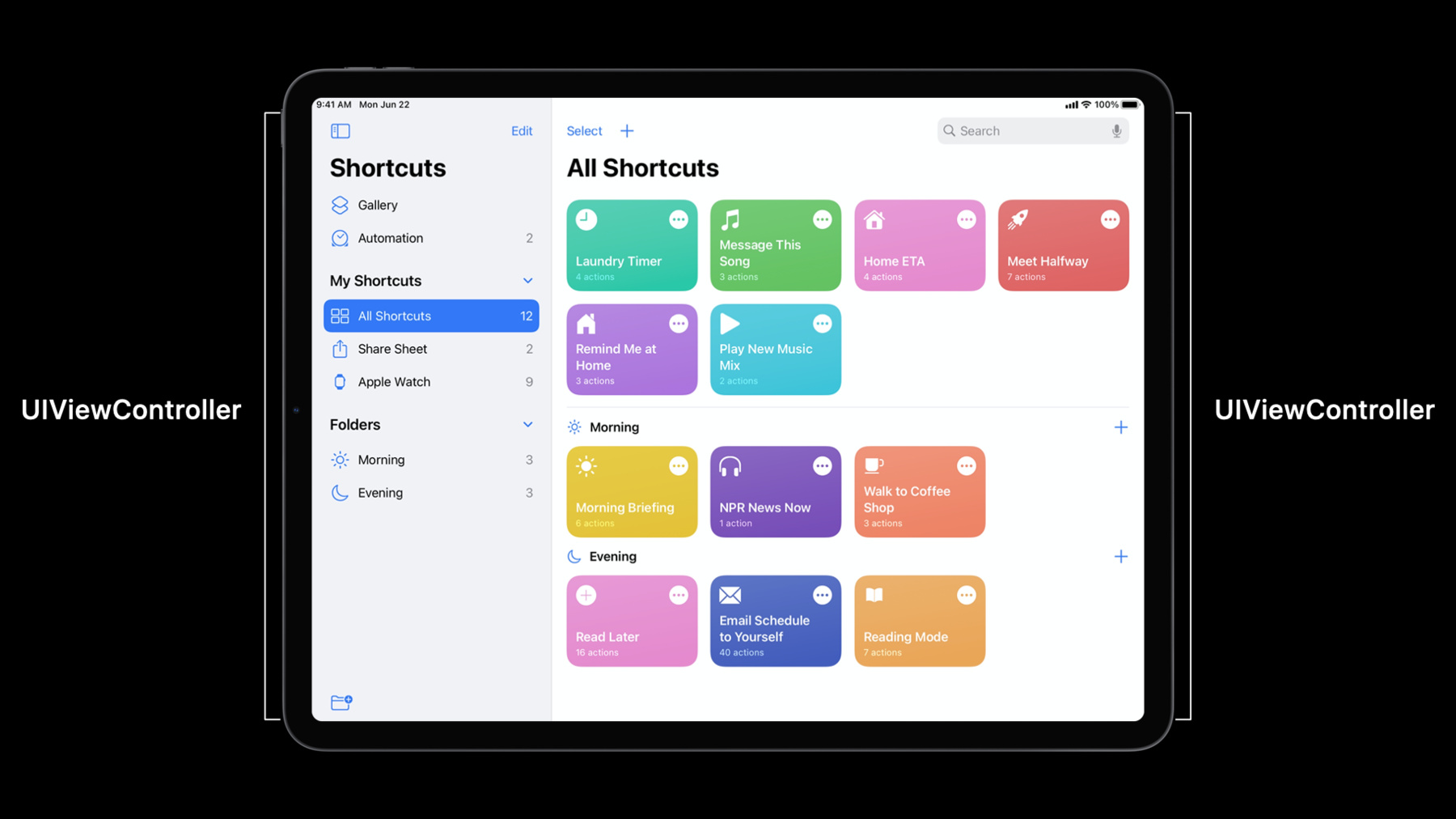
Learn how to improve iPad apps to leverage the increased screen size and additional features of iPadOS, and help people accomplish more with their devices. Discover how you can build detailed multi-column layouts and integrate lists into your app with little adjustment to your existing code. We’ll also explore reducing modality within your views to make it easier to navigate your interface with fewer taps and touches. To get the most out of this session, you should have a general understanding of iPad app layouts and UIKit. For more information, watch “Making Apps Adaptive, Part 1.” And while not necessary, familiarity with UICollectionView may also be helpful. Watch “Advances in Collection View Layout” for an overview. Want to learn more about list creation for your apps? Watch “Lists in UICollectionView”.
Watch at developer.apple.com ↗Code shown on screen · 20 snippets
Create two column UISplitViewController
let splitViewController = UISplitViewController(style: .doubleColumn)Set view controllers for primary and secondary columns
splitViewController.setViewController(sidebarViewController, for: .primary)
splitViewController.setViewController(myHomeViewController, for: .secondary)
Create three column UISplitViewController
let splitViewController = UISplitViewController(style: .tripleColumn)Set view controller for supplementary column
splitViewController.setViewController(inboxViewController, for: .supplementary)Set view controller for compact column
splitViewController.setViewController(tabBarController, for: .compact)Set preferredSplitBehavior to .tile
splitViewController.preferredSplitBehavior = .tileSet preferredSplitBehavior to .displace
splitViewController.preferredSplitBehavior = .displaceSet preferredSplitBehavior to .overlay
splitViewController.preferredSplitBehavior = .overlayHide and show columns
splitViewController.hideColumn(.primary)

splitViewController.showColumn(.supplementary)
Set preferredDisplayMode
splitViewController.preferredDisplayMode = .oneBesideSecondaryCollection view setup for sidebar list
let configuration = UICollectionLayoutListConfiguration(appearance: .sidebar)
let layout = UICollectionViewCompositionalLayout.list(using: configuration)
let collectionView = UICollectionView(frame: frame, collectionViewLayout: layout)
Define a type for an example data structure
struct MyItem: Hashable {
    let title: String
    let image: UIImage
}
Create cell registration
let cellRegistration = UICollectionView.CellRegistration<UICollectionViewListCell, MyItem>
{ cell, indexPath, item in

    var content = cell.defaultContentConfiguration()

    content.text = item.title
    content.image = item.image

    cell.contentConfiguration = content
}
Create diffable data source
let dataSource = UICollectionViewDiffableDataSource<Section, MyItem>
   (collectionView: collectionView)
{ collectionView, indexPath, item in
   return collectionView.dequeueConfiguredReusableCell(using: cellRegistration,
                                                       for: indexPath,
                                                       item: item)
}
Collection view setup for sidebar plain list
let configuration = UICollectionLayoutListConfiguration(appearance: .sidebarPlain)
let layout = UICollectionViewCompositionalLayout.list(using: configuration)
let collectionView = UICollectionView(frame: frame, collectionViewLayout: layout)
Example: Initializing UISplitViewController
let splitViewController = UISplitViewController(style: .doubleColumn)

// Primary column

let sidebar = SidebarViewController()
splitViewController.setViewController(sidebar, for: .primary)


// Secondary column

func collectionView(_ collectionView: UICollectionView, didSelectItemAt indexPath: IndexPath) {
    splitViewController.showDetailViewController(DetailViewController(), sender: self)
}
Example: Setting a view controller for compact width
let tabBarController = createTabBarController()

splitViewController.setViewController(tabBarController, for: .compact)
Example: Sidebar Collection View setup
let layout = UICollectionViewCompositionalLayout(sectionProvider: sectionProvider,
         configuration: UICollectionViewCompositionalLayoutConfiguration())

func sectionProvider(_ section: Int, environment: NSCollectionLayoutEnvironment)
-> NSCollectionLayoutSection {
    var configuration = UICollectionLayoutListConfiguration(appearance: .sidebar)

    if (environment.traitCollection.horizontalSizeClass == .compact) {
        configuration.headerMode = .firstItemInSection
    } else {
        configuration.headerMode = .none
    }

    return NSCollectionLayoutSection.list(using: configuration, layoutEnvironment: environment)
}
Example: Cell Registration
struct Section: Hashable { … }

struct Item: Hashable { … }


let cellRegistration = UICollectionView.CellRegistration<UICollectionViewListCell, Item> { cell, indexPath, item in
    // Configure the cell
}


let dataSource = UICollectionViewDiffableDataSource<Section, Item>(collectionView: collectionView) { collectionView, indexPath, item in
    return collectionView.dequeueConfiguredReusableCell(using: cellRegistration, for: indexPath, item: item)
}
Example: Cell registration
let cellRegistration = UICollectionView.CellRegistration<UICollectionViewListCell, Item> { cell, indexPath, item in

    var content = cell.defaultContentConfiguration()

    content.text = item.title
    content.image = item.image

    cell.contentConfiguration = content
}
Resources
Related sessions
-
 17 min
 -
 30 min
 -
 10 min
 -
 50 min
 -
 36 min