2020 Audio & VideoDeveloper ToolsPhotos & CameraGraphics & Games
WWDC20 · 6 min · Audio & Video / Developer Tools / Photos & Camera / Graphics & Games
Build Metal-based Core Image kernels with Xcode
Learn how to integrate and load Core Image kernels written in the Metal Shading Language into your application, and discover how you can apply these image filters to create unique effects. Explore how to use Xcode rules and naming conventions for Core Image kernels written in Metal Shading Language. We’ll explain how to best use Core Image APIs effectively and optimally with Metal and the Metal Shading Language.
Watch at developer.apple.com ↗Code shown on screen · 2 snippets
Put your kernels in .ci.metal sources
// MyKernels.ci.metal
#include <CoreImage/CoreImage.h> // includes CIKernelMetalLib.h
using namespace metal;

extern "C" float4 HDRZebra (coreimage::sample_t s, float time, coreimage::destination dest)
{
	float diagLine = dest.coord().x + dest.coord().y;
	float zebra = fract(diagLine/20.0 + time*2.0);
	if ((zebra > 0.5) && (s.r > 1 || s.g > 1 || s.b > 1))
		return float4(2.0, 0.0, 0.0, 1.0);
	return s;
}
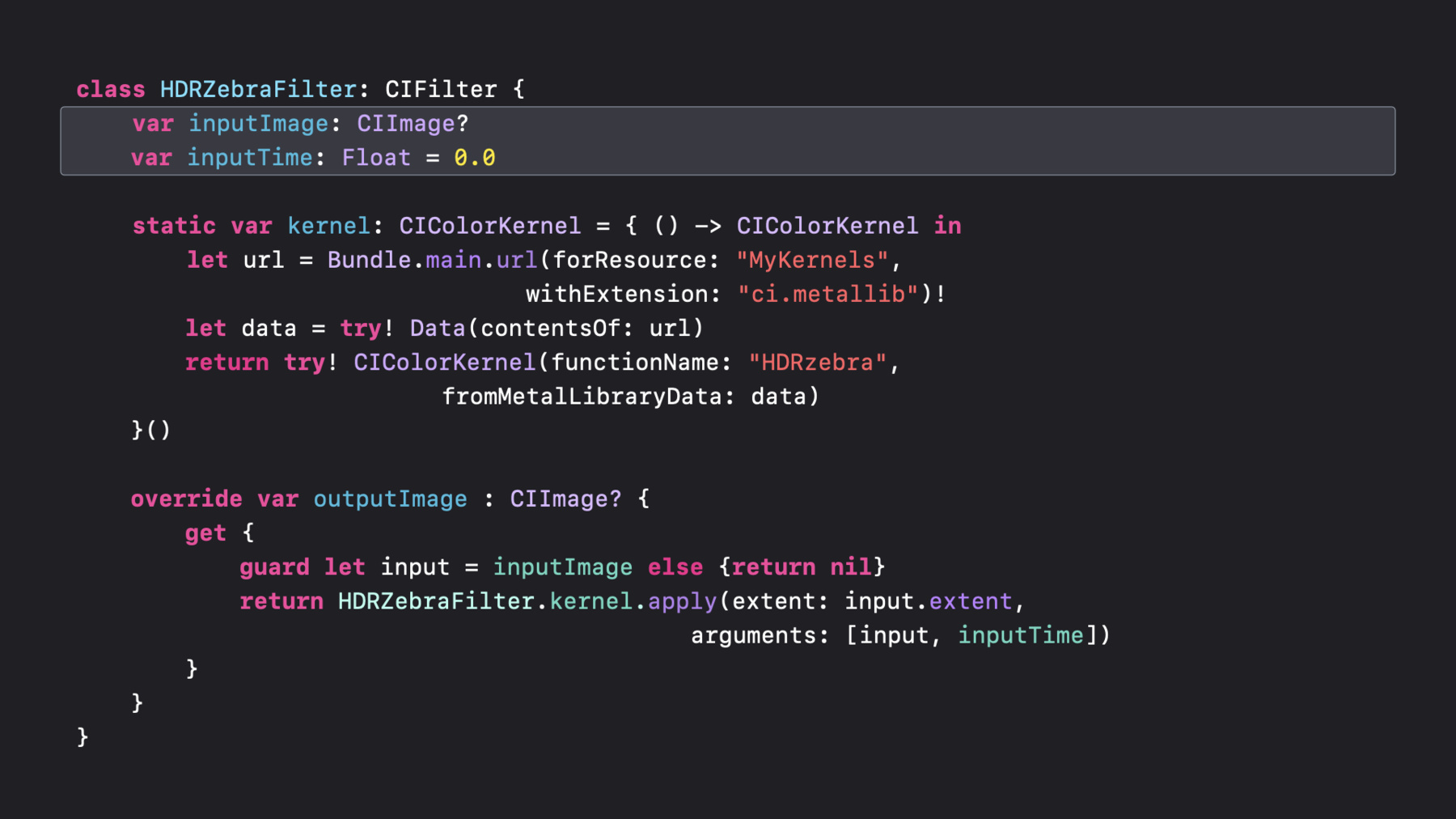
Loading your kernel and applying it to create a new image
class HDRZebraFilter: CIFilter {
    var inputImage: CIImage?
	var inputTime: Float = 0.0

    static var kernel: CIColorKernel = { () -> CIColorKernel in
	    let url = Bundle.main.url(forResource: "MyKernels",
                                withExtension: "ci.metallib")!
		let data = try! Data(contentsOf: url)
		return try! CIColorKernel(functionName: "HDRzebra",
                          fromMetalLibraryData: data)
	}()

  	override var outputImage : CIImage? {
		get {
			guard let input = inputImage else {return nil}
			return HDRZebraFilter.kernel.apply(extent: input.extent,
											 arguments: [input, inputTime])
		}
	}
}
Resources
Related sessions
-
 9 min
9 min -
 27 min
 -
 9 min
9 min -
 7 min
7 min