2026 Graphics & GamesSpatial Computing
WWDC26 · 14 min · Graphics & Games / Spatial Computing
Explore enhancements to visionOS object tracking
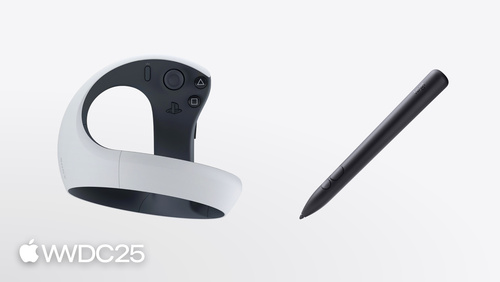
Find out how visionOS is advancing object tracking and spatial accessory input. Discover new ways to track moving and handheld objects, allowing you to bridge the physical and digital worlds. Learn about new supported classes of spatial accessories and what is needed to build your own custom accessories to enable unique interaction models in your apps.
Watch at developer.apple.com ↗Chapters
Code shown on screen · 5 snippets
Enable high frame rate tracking
// Enable high frame rate tracking

// Create reference object configuration
var configuration = ReferenceObject.Configuration()
configuration.highFrameRateTrackingEnabled = true

// Load the reference object with ARKit API
let refObjURL = Bundle.main.url(forResource: "flashlight", withExtension: ".referenceobject")
let refObject = try? await ReferenceObject(from: refObjURL!, configuration: configuration)
Extended training mode via command-line
// Extended training mode on Mac using command-line interface

% xrun createml objecttracker --source flashlight.usdz --output flashlight.referenceobject --training-mode extended --all-angles
Object pose coordinate spaces
// Different object pose spaces

// Obtain anchor transform with display corrections

let renderingPose = myObjectAnchor.coordinateSpace(correction: .rendered)

// Obtain anchor transform in metric space

let metricPose = myObjectAnchor.coordinateSpace(correction: .none)
Implement object tracking in iOS
// Implement object tracking in iOS

import ARKit
import RealityKit

class ObjectTrackingARSessionDelegate: NSObject, ARSessionDelegate {
        let arView = ARView(frame: .zero)
        var entities: [UUID: AnchorEntity] = [:]

        func start() throws {
                let stationaryObject = try ARReferenceObject(archiveURL:
                        Bundle.main.url(forResource: "stationary", withExtension: "referenceobject")!)
                let movingObject = try ARReferenceObject(archiveURL:
                        Bundle.main.url(forResource: "moving", withExtension: "referenceobject")!)

                let configuration = ARWorldTrackingConfiguration()
                configuration.detectionObjects = [stationaryObject]   // Low frame rate
                configuration.trackingObjects = [movingObject]        // High frame rate

                arView.session.delegate = self
                arView.session.run(configuration)
        }

				func session(_ session: ARSession, didAdd anchors: [ARAnchor]) {
                for case let anchor as ARObjectAnchor in anchors {
                        let entity = AnchorEntity(anchor: anchor)
                        entities[anchor.identifier] = entity
                        arView.scene.addAnchor(entity)
                }
        }

        func session(_ session: ARSession, didUpdate anchors: [ARAnchor]) {
                for case let anchor as ARObjectAnchor in anchors {
                        entities[anchor.identifier]?.isEnabled = anchor.isTracked
                }
        }

        func session(_ session: ARSession, didRemove anchors: [ARAnchor]) {
                for case let anchor as ARObjectAnchor in anchors {
                        if let entity = entities.removeValue(forKey: anchor.identifier) {
                                arView.scene.removeAnchor(entity)
                        }
                }
        }
}
Discover and connect a spatial accessory
import ARKit
import GameController

// Generic accessory discovery

if let device = GCSpatialAccessory.spatialAccessories.first {

        // Resolves the .referenceaccessory bundle automatically

        let accessory = try await Accessory(device: device)
        let provider = AccessoryTrackingProvider(accessories: [accessory])
        try await arkitSession.run([provider])
}

// Update tracked accessories without restarting the session

try await provider.updateAccessories([newAccessory])
Resources
Related sessions
-
 17 min
 -
 18 min