2024 App ServicesSwiftUI & UI Frameworks
WWDC24 · 21 min · App Services / SwiftUI & UI Frameworks
What’s new in UIKit
Explore everything new in UIKit, including tab and document launch experiences, transitions, and text and input changes. We’ll also discuss better-than-ever interoperability between UIKit and SwiftUI animations and gestures, as well as general improvements throughout UIKit.
Watch at developer.apple.com ↗Chapters
- 0:00 — Introduction
- 0:55 — Document launch experience
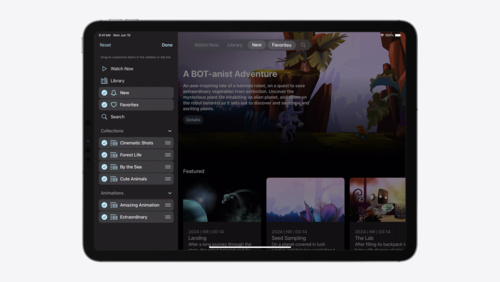
- 1:24 — Updated tab and sidebar
- 2:43 — Fluid transitions
- 3:35 — SwiftUI animations in UIKit
- 4:24 — Coordinated gesture recognizers
- 6:02 — Automatic trait tracking
- 7:44 — List improvements
- 11:18 — UIUpdateLink
- 12:55 — SF Symbol animations
- 14:36 — Sensory feedback
- 16:14 — Text improvements
- 18:14 — Menu actions
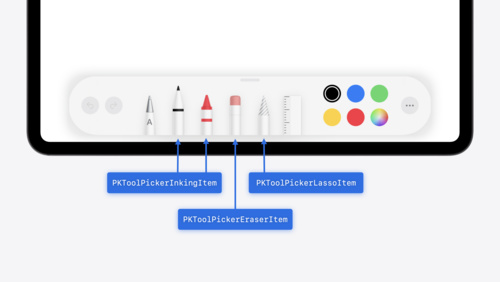
- 18:58 — Apple Pencil Pro and PencilKit
Code shown on screen · 8 snippets
Using SwiftUI to animate UIViews with gestures
switch gesture.state {
case .changed:
    UIView.animate(.interactiveSpring) {
        bead.center = gesture.translation
    }

case .ended:
    UIView.animate(.spring) {
        bead.center = endOfBracelet
    }
}
Setting failure requirements between gestures
// Inner SwiftUI double tap gesture

Circle()
    .gesture(doubleTap, name: "SwiftUIDoubleTap")


// Outer UIKit single tap gesture

func gestureRecognizer(
    _ gestureRecognizer: UIGestureRecognizer,
    shouldRequireFailureOf other: UIGestureRecognizer
) -> Bool {
    other.name == "SwiftUIDoubleTap"
}
Responding to horizontalSizeClass trait
class MyView: UIView {
    override func layoutSubviews() {
        super.layoutSubviews()

        if traitCollection.horizontalSizeClass == .compact {
            // apply compact layout
        } else {
            // apply regular layout
        }
    }
}
Using the new automatic content and background configurations
func configurations(for location: FileLocation) ->
    (UIListContentConfiguration, UIBackgroundConfiguration) {

    var contentConfiguration = UIListContentConfiguration.cell()
    let backgroundConfiguration = UIBackgroundConfiguration.listCell()

    contentConfiguration.text = location.title
    contentConfiguration.image = location.thumbnailImage

    return (contentConfiguration, backgroundConfiguration)
}
Using UIUpdateLink
let updateLink = UIUpdateLink(
    view: view,
    actionTarget: self,
    selector: #selector(update)
)
updateLink.requiresContinuousUpdates = true
updateLink.isEnabled = true

@objc func update(updateLink: UIUpdateLink,
                  updateInfo: UIUpdateInfo) {
    view.center.y = sin(updateInfo.modelTime)
        * 100 + view.bounds.midY
}
An example of providing UICanvasFeedbackGenerator with additional context
var feedbackGenerator: UICanvasFeedbackGenerator
override func viewDidLoad() {
super.viewDidLoad()
feedbackGenerator = UICanvasFeedbackGenerator(view: view)
}
func dragAligned(_ sender: UIPanGestureRecognizer) {
feedbackGenerator.alignmentOccurred(at: sender.location(in: view))
}Using new attributes for highlight
var attributes = [NSAttributedString.Key: Any]()

// Highlight style
attributes[.textHighlightStyle] =
NSAttributedString.TextHighlightStyle.default

// Highlight color scheme
attributes[.textHighlightColorScheme] =
NSAttributedString.TextHighlightColorScheme.default
Customizing formatting panel
textView.textFormattingConfiguration = .init(groups: [
    .group([
        .component(.fontAttributes, .mini),
        .component(.fontPicker, .regular),
        .component(.textColor, .mini)
    ]),
    .group([
        .component(.fontPointSize, .mini),
        .component(.listStyles, .regular),
        .component(.highlight, .mini)
    ])
])
Resources
Related sessions
-
 16 min
 -
 14 min
 -
 23 min
 -
 17 min
 -
 17 min
 -
 36 min
 -
 15 min