2022 EssentialsSwiftUI & UI FrameworksApp Services
WWDC22 · 18 min · Essentials / SwiftUI & UI Frameworks / App Services
Complications and widgets: Reloaded
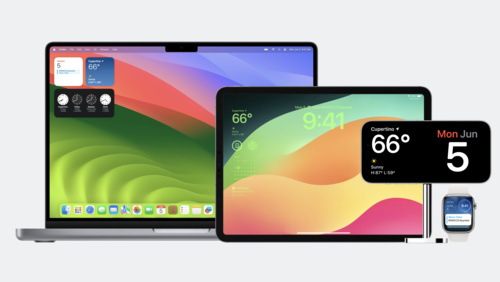
Our widgets code-along returns as we adventure onto the watchOS and iOS Lock Screen. Learn about the latest improvements to WidgetKit that help power complex complications on watchOS and can help you create Lock Screen widgets for iPhone. We’ll show you how to incorporate the latest SwiftUI views to provide great glanceable data, explore how each platform renders content, and learn how you can customize the design and feel of your content within a widget or complication.
Watch at developer.apple.com ↗Code shown on screen · 9 snippets
widgetAccentable
VStack(alignment: .leading) {
    Text("Headline")
        .font(.headline)
        .widgetAccentable()
    Text("Body 1")
    Text("Body 2")
}.frame(maxWidth: .infinity, alignment: .leading)
AccessoryWidgetBackground
ZStack {
     AccessoryWidgetBackground()
     VStack {
        Text("MON")
        Text("6")
         .font(.title)
    }
}
Xcode Previews
EmojiRangerWidgetEntryView(entry: SimpleEntry(date: Date(), relevance: nil, character: .spouty))
                .previewContext(WidgetPreviewContext(family: .accessoryCircular))
                .previewDisplayName("Circular")
            EmojiRangerWidgetEntryView(entry: SimpleEntry(date: Date(), relevance: nil, character: .spouty))
                .previewContext(WidgetPreviewContext(family: .accessoryRectangular))
                .previewDisplayName("Rectangular")
            EmojiRangerWidgetEntryView(entry: SimpleEntry(date: Date(), relevance: nil, character: .spouty))
                .previewContext(WidgetPreviewContext(family: .accessoryInline))
                .previewDisplayName("Inline")

#if os(iOS)
recommendations method
return recommendedIntents()
            .map { intent in
                return IntentRecommendation(intent: intent, description: intent.hero!.displayString)
            }
ProgressView
ProgressView(interval: entry.character.injuryDate...entry.character.fullHealthDate,
                         countdown: false,
                         label: { Text(entry.character.name) },
                         currentValueLabel: {
                Avatar(character: entry.character, includeBackground: false)
            })
            .progressViewStyle(.circular)
Rectangular
case .accessoryRectangular:
        HStack(alignment: .center, spacing: 0) {
            VStack(alignment: .leading) {
                Text(entry.character.name)

                Text("Level \(entry.character.level)")
                Text(entry.character.fullHealthDate, style: .timer)
            }.frame(maxWidth: .infinity, alignment: .leading)
            Avatar(character: entry.character, includeBackground: false)
        }
ViewThatFits
ViewThatFits {
                Text("\(entry.character.name) is resting, combat-ready in \(entry.character.fullHealthDate, style: .relative)")
                Text("\(entry.character.name) ready in \(entry.character.fullHealthDate, style: .timer)")
                Text("\(entry.character.avatar) \(entry.character.fullHealthDate, style: .timer)")
            }
isLuminanceReduced
(\.isLuminanceReduced)
var isLuminanceReduced
var body: some View {
if isLuminanceReduced {
Text("🙈").font(.title)
} else {
Text("🐵").font(.title)
}
}privacySensitive
VStack(spacing: -2) {
    Image(systemName: "heart")
        .font(.caption.bold())
        .widgetAccentable()
    Text("\(currentHeartRate)")
        .font(.title)
        .privacySensitive()
}
Resources
Related sessions
-
 7 min
7 min -
 11 min
 -
 27 min
 -
 27 min
 -
 23 min