2021 App Store, Distribution & MarketingEssentialsSwiftUI & UI Frameworks
WWDC21 · 23 min · App Store, Distribution & Marketing / Essentials / SwiftUI & UI Frameworks
Qualities of great iPad and iPhone apps on Macs with M1
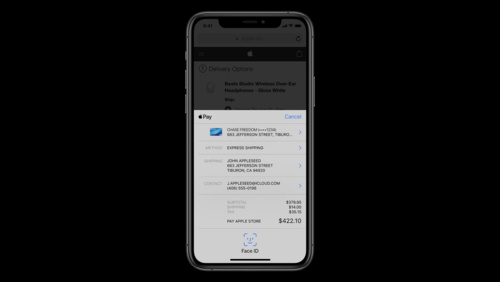
It’s easier than ever to offer your existing iPad and iPhone apps on Macs with M1. We’ll show you how to bring your app to macOS, and explore how the system automatically bridges various features of your app to work on the Mac. We’ll also provide guidance on best practices in your iPad app, combined with improvements in macOS Monterey — like Apple Pay support, improved AV handling, and shortcuts — to provide the fullest experience on Macs with M1.
Watch at developer.apple.com ↗Code shown on screen · 3 snippets
Limit the range of allowable scene sizes
func scene(_ scene: UIScene, willConnectTo session: UISceneSession, options connectionOptions: UIScene.ConnectionOptions) {
    guard let windowScene = scene as? UIWindowScene, let sizeRestrictions = windowScene.sizeRestrictions else { return }
    sizeRestrictions.minimumSize = CGSize(width: 640, height: 480)
    sizeRestrictions.maximumSize = CGSize(width: 1920, height: 1080)
}
Automatically enable Touch Alternatives
<plist version="1.0">
<dict>
<key>defaultEnablement</key>
<true/>
<key>version</key>
<real>1</real>
<key>requiredOnboarding</key>
<array> <!-- Only include applicable features! -->
<string>Tap</string>
<string>Arrow Swipe</string>
<string>Scroll Drag</string>
<string>Tilt</string>
<string>Trackpad Capture</string>
</array>
</dict>
</plist>Required delegate method to enable Apple Pay support
optional func paymentAuthorizationController(_ controller: PKPaymentAuthorizationController,
	didRequestMerchantSessionUpdate
	handler: @escaping (PKPaymentRequestMerchantSessionUpdate) -> Void)
Resources
Related sessions
-
 27 min
 -
 24 min
 -
 36 min
 -
 11 min
 -
 26 min
 -
 27 min
 -
 20 min
 -
 22 min
 -
 17 min
 -
 25 min
 -
 15 min