2020 Developer Tools
WWDC20 · 12 min · Developer Tools
Use Swift on AWS Lambda with Xcode
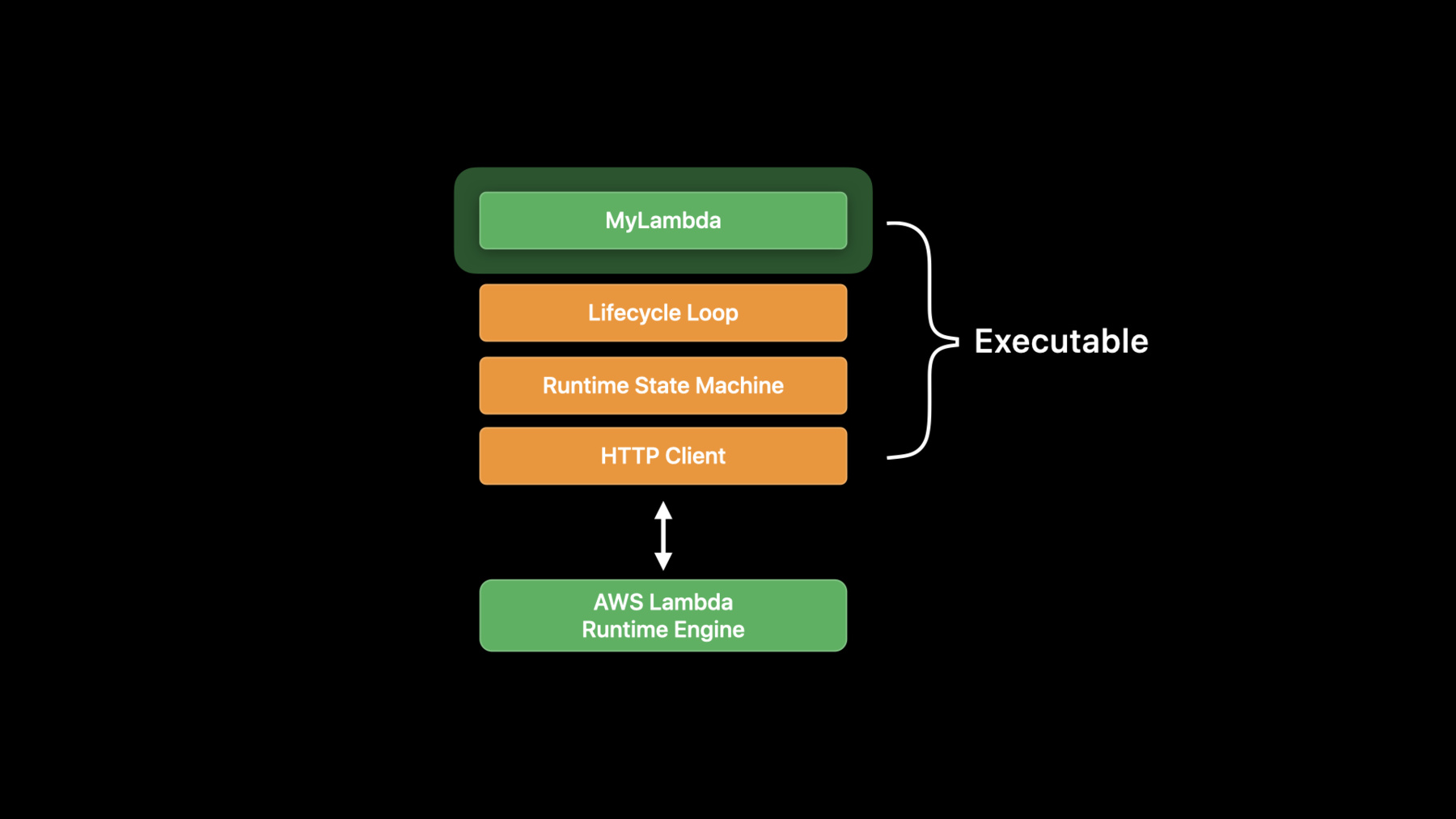
Serverless functions are increasingly becoming popular for running event-driven or otherwise ad-hoc compute tasks in the cloud, allowing developers to more easily scale and control compute costs. Discover how to use the new Swift AWS Lambda Runtime package to build serverless functions in Swift, debug locally using Xcode, and deploy these functions to the AWS Lambda platform. We’ll show you how Swift shines on AWS Lambda thanks to its low memory footprint, deterministic performance, and quick start time.
Watch at developer.apple.com ↗Code shown on screen · 3 snippets
Closure based Lambda function
import AWSLambdaRuntime

Lambda.run { (_, name: String, callback) in
    callback(.success("Hello, \(name)!"))
}
EventLoop based Lambda function
import AWSLambdaRuntime
import NIO

struct Handler: EventLoopLambdaHandler {
    typealias In = String
    typealias Out = String

    func handle(context: Lambda.Context, event: String) -> EventLoopFuture<String> {
       context.eventLoop.makeSucceededFuture("Hello, \(event)!")
    }
}

Lambda.run(Handler())
Closure and Codable based Lambda function
import AWSLambdaRuntime

struct Request: Codable {
    let name: String
    let password: String
}

struct Response: Codable {
    let message: String
}

Lambda.run { (_, request: Request, callback) in
    callback(.success(Response(message: "Hello, \(request.name)!")))
}
Resources
Related sessions
-
 18 min
 -
 33 min
 -
 22 min