2020 SwiftAI & Machine Learning
WWDC20 · 19 min · Swift / AI & Machine Learning
Control training in Create ML with Swift
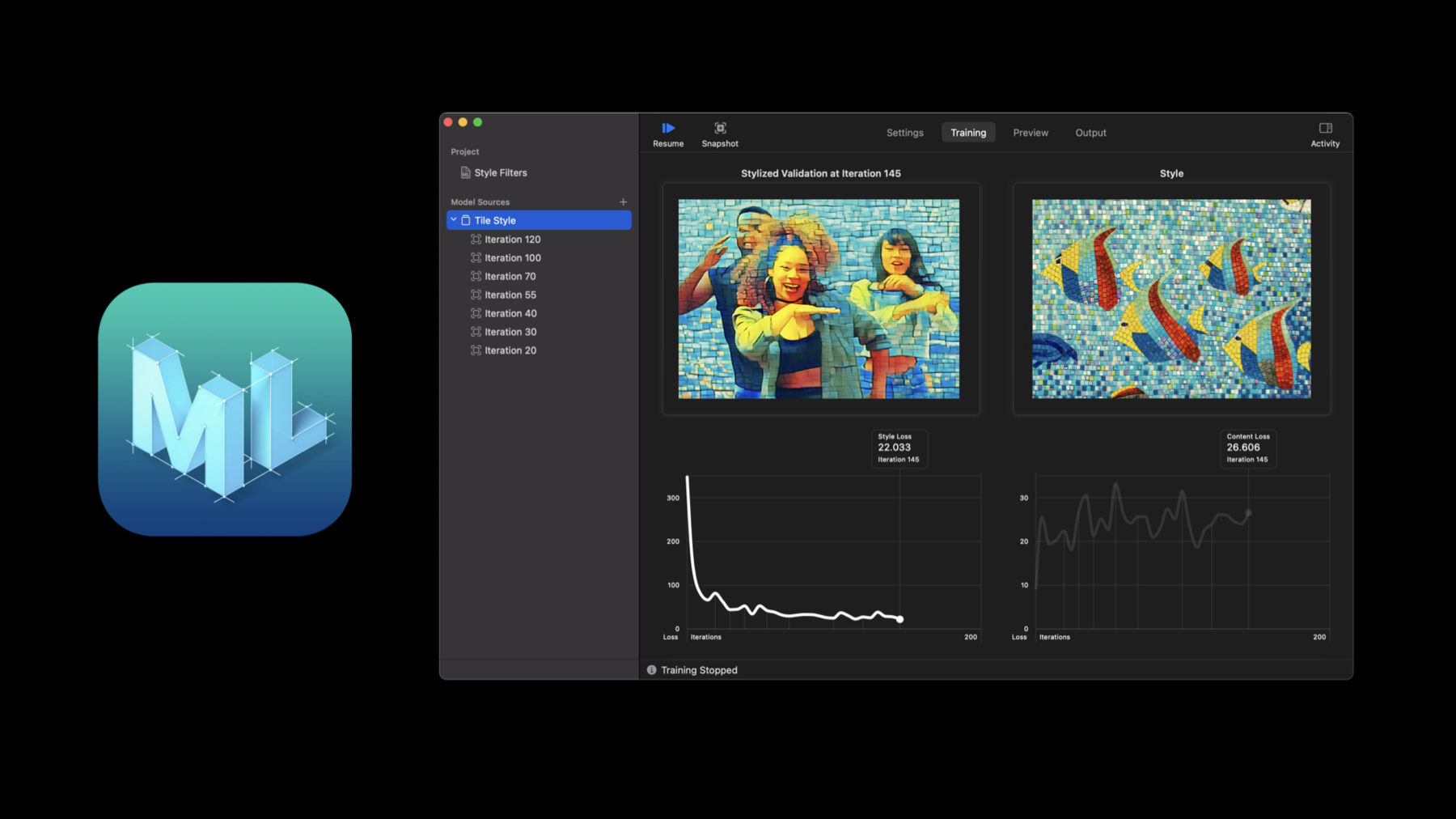
With the Create ML framework you have more power than ever to easily develop models and automate workflows. We’ll show you how to explore and interact with your machine learning models while you train them, helping you get a better model quickly. Discover how training control in Create ML can customize your training workflow with checkpointing APIs to pause, save, resume, and extend your training process. And find out how you can monitor your progress programmatically using Combine APIs. If you’re not already familiar with Create ML and curious about training machine learning models, be sure to watch “Introducing the Create ML App.”
Watch at developer.apple.com ↗Code shown on screen · 15 snippets
Synchronous training
let model = try MLActivityClassifier(...)Asynchronous Training
let job = try MLActivityClassifier.train(..., sessionParameters: sessionParameters)Setting up training parameters
// Session parameters can be provided to `train` method.
let sessionParameters = MLTrainingSessionParameters(
    sessionDirectory: sessionDirectory,
    reportInterval: 10,
    checkpointInterval: 100,
    iterations: 1000
)

let job = try MLActivityClassifier.train(..., sessionParameters: sessionParameters)
Register a sink to receive model
// Register a sink to receive the resulting model.
job.result.sink { result in
    // Handle errors
}
receiveValue: { model in
    // Use model
}
.store(in: &subscriptions)
Getting training progress
// Observing progress details
job.progress.publisher(for: \.fractionCompleted)
    .sink { [weak job] fractionCompleted in
        guard let job = job, let progress = MLProgress(progress: job.progress) else {
            return
        }
        print("Progress: \(fractionCompleted)")
        print("Iteration: \(progress.itemCount) of \(progress.totalItemCount ?? 0)")
        print("Accuracy: \(progress.metrics[.accuracy] ?? 0.0)")
    }
    .store(in: &subscriptions)
Demo 1: Setup
let style = NSImage(byReferencing: styleImageURL)
let validation = NSImage(byReferencing: validationImageURL)

var iterations = 500
var progressInterval = 5
var checkpointInterval = 5
let sessionDirectory = URL(fileURLWithPath: "\(NSHomeDirectory())/\(experimentID)")

let sessionParameters = MLTrainingSessionParameters(sessionDirectory: sessionDirectory,
                                                    reportInterval: progressInterval,
                                                    checkpointInterval: checkpointInterval,
                                                    iterations: iterations)

let trainingParameters = MLStyleTransfer.ModelParameters(
  	algorithm: .cnn,
    validation: .content(validationImageURL),
    maxIterations: iterations,
    textelDensity: 416,
    styleStrength: 5)
Demo 1: Training
var subscriptions = [AnyCancellable]()

let job = try MLStyleTransfer.train(trainingData: dataSource,
                                    parameters: trainingParameters,
                                    sessionParameters: sessionParameters)

job.result.sink { result in
    print(result)
}
receiveValue: { model in
    try? model.write(to: sessionDirectory)
}
.store(in: &subscriptions)
Demo 1: Progress
job.progress
    .publisher(for: \.fractionCompleted)
    .sink { completed in

        _ = completed

        guard let progress = MLProgress(progress: job.progress) else { return }

        if let styleLoss = progress.metrics[.styleLoss] { _ = styleLoss }

        if let contentLoss = progress.metrics[.contentLoss] { _ = contentLoss }

    }
    .store(in: &subscriptions)
Demo 1: Cancel & Resume
job.cancel()

let resumedJob = try MLStyleTransfer.train(
    trainingData: dataSource,
    parameters: trainingParameters,
    sessionParameters: sessionParameters)

resumedJob.progress
    .publisher(for: \.fractionCompleted)
    .sink { completed in
        _ = completed

        guard let progress = MLProgress(progress: resumedJob.progress) else { return }
        if let styleLoss = progress.metrics[.styleLoss] { _ = styleLoss }
        if let contentLoss = progress.metrics[.contentLoss] { _ = contentLoss }
    }
    .store(in: &subscriptions)

resumedJob.result.sink { result in
    print(result)
}
receiveValue: { model in
    try? model.write(to: sessionDirectory)
}
.store(in: &subscriptions)
Observing checkpoints
let job = try MLActivityClassifier.train(..., sessionParameters: sessionParameters)

// Register for receiving checkpoints.
job.checkpoints.sink { checkpoint in
    // Process checkpoint
}
.store(in: &subscriptions)
Generating a model from a checkpoint
// Generate a model from a checkpoint
guard checkpoint.phase == .training else {
    // Not a training checkpoint, can't create model yet.
    return
}

let model = try MLActivityClassifier(checkpoint: checkpoint)
try model.write(to: url)
Working with a session
let session = MLObjectDetector.restoreTrainingSession(sessionParameters: sessionParameters)

let losses = session.checkpoints.compactMap { $0.metrics[.loss] as? Double }
Removing checkpoints from a session
let session = MLObjectDetector.restoreTrainingSession(sessionParameters: sessionParameters)

// Save space by removing some checkpoints
session.removeCheckpoints { $0.iteration < 500 }
Demo 2: Visualizing Style Transfer Checkpoints
job.checkpoints
    .compactMap { $0.metrics[.stylizedImageURL] as? URL }
    .map { NSImage(byReferencing: $0) }
    .sink { image in
        let _ = image
    }
    .store(in: &subscriptions)
Demo 2: Visualizing Checkpoints with SwiftUI + Live View
job.checkpoints
    .compactMap { $0.metrics[.stylizedImageURL] as? URL }
    .receive(on: DispatchQueue.main)
    .map { NSImage(byReferencing: $0) }
    .sink { image in
        let _ = image

        let view = VStack {
            Image(nsImage: image)
                .resizable()
                .aspectRatio(contentMode: .fit)
            Image(nsImage: style)
                .resizable()
                .aspectRatio(contentMode: .fit)
            Image(nsImage: validation)
                .resizable()
                .aspectRatio(contentMode: .fit)
        }.frame(maxHeight: 1400)

        PlaygroundSupport.PlaygroundPage.current.setLiveView(view)
    }
    .store(in: &subscriptions)
Resources
Related sessions
-
 17 min
 -
 26 min
 -
 12 min
 -
 15 min