2020 SwiftUI & UI FrameworksPrivacy & Security
WWDC20 · 10 min · SwiftUI & UI Frameworks / Privacy & Security
AutoFill everywhere
Discover how to implement AutoFill in your app and help people enter their information into fields easily, privately, and securely. Learn how to help the system to give better suggestions that tailor to your app’s functionality: offer smart location suggestions within a navigation app, for example, or provide a private way to input contact information into fields from the QuickType bar. In macOS Big Sur, AutoFill has been extended beyond Safari, to apps. Learn about the small changes that you can make to take advantage of this feature and bring convenience, added security, and a frictionless experience to people using your macOS apps. For more on the latest privacy improvements to our platforms, watch “Build trust through better privacy.”
Watch at developer.apple.com ↗Code shown on screen · 6 snippets
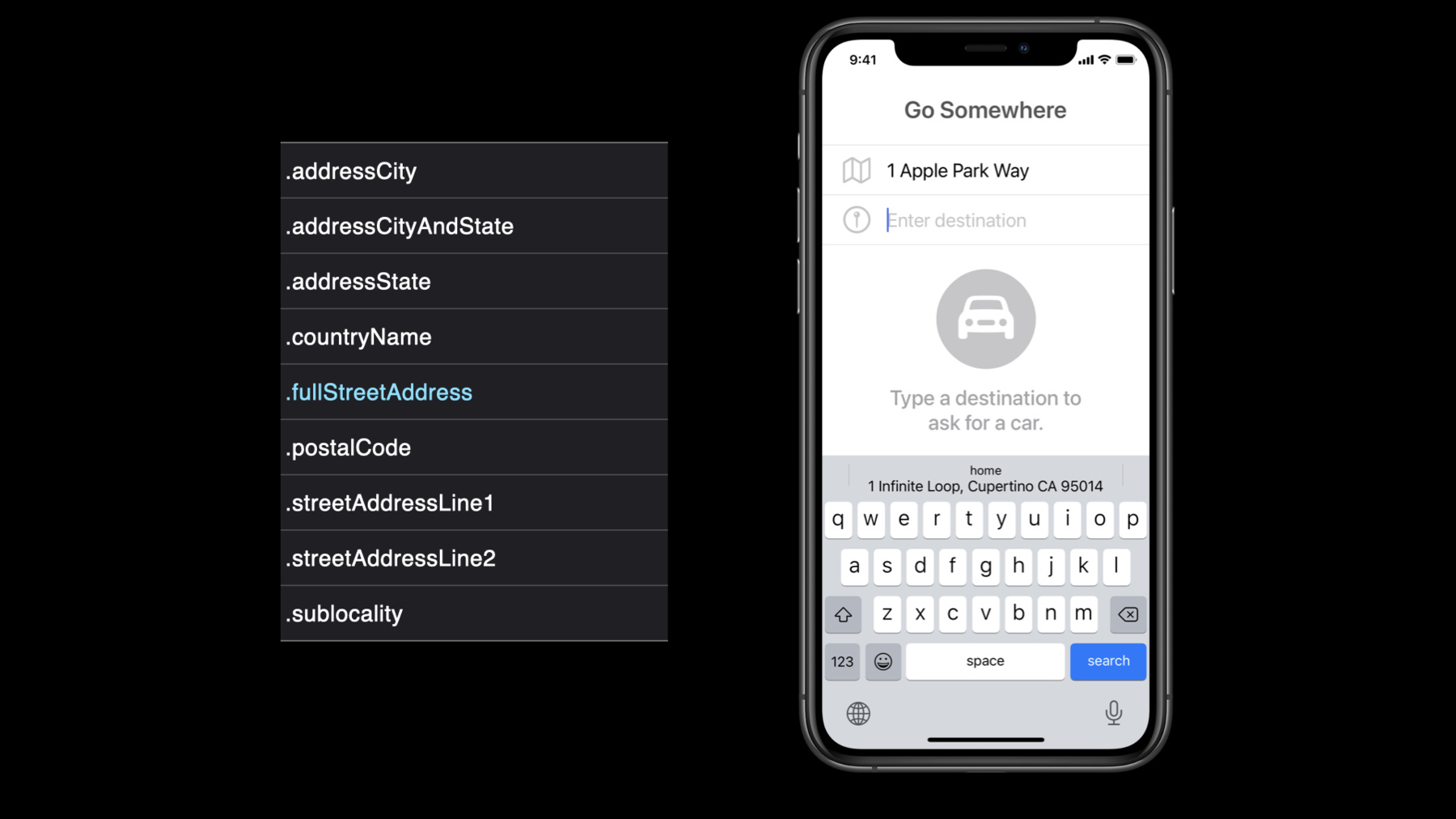
Address AutoFill
let streetAddressTextField = UITextField()
steetAddressTextField.textContentType = .fullStreetAddress

//Other address granularity:
// .addressCity, .addressCityAndState, .addressState, .countryName
// .postalCode, .streetAddressLine1, .streetAddressLine2, .sublocality
Contact AutoFill
// AutoFill contacts' email address
let emailTextField = UITextField()
emailTextField.textContentType = .emailAddress

// AutoFill contacts' phone number
let phoneTextField = UITextField()
phoneTextField.textContentType = .telephoneNumber

// AutoFill contacts' address
let streetAddressTextField = UITextField()
steetAddressTextField.textContentType = .fullStreetAddress
Password AutoFill
let userTextField = UITextField()
userTextField.textContentType = .username

let passwordTextField = UITextField()
passwordTextField.textContentType = .password
Security Code AutoFill
let securityCodeTextField = UITextField()
securityCodeTextField.textContentType = .oneTimeCode
Automatic Strong Passwords
let userTextField = UITextField()
userTextField.textContentType = .username

let newPasswordTextField = UITextField()
newPasswordTextField.textContentType = .newPassword
Password and Security Codes AutoFill for AppKit based apps
let usernameTextField = NSTextField()
usernameTextField.contentType = .username

let passwordField = NSSecureTextField()
passwordField.contentType = .password

let securityCodeTextField = NSTextField()
securityCodeTextField.contentType = .oneTimeCode
Related sessions
-
 32 min
 -
 12 min
 -
 31 min
 -
 36 min